Reinstate the Workforce/Financial Module Artefacts
I was having an issue with an Oracle pre defined calculation in Workforce Planning that had been updated by introducing a modified variable run time prompt, but the artefact no longer worked as it was at least 3 years out of date. I needed to get back to a state where EPM recognised that it had an updateable artefact. The question was how.
I contemplated rebuilding the whole application, but once I uncovered the solution, it was much easier.
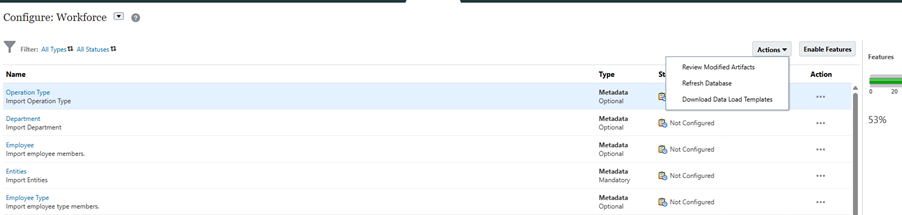
Go into Configure, select the module. In the actions menu “Review Modified Artefacts”
Filter on the type of artefact
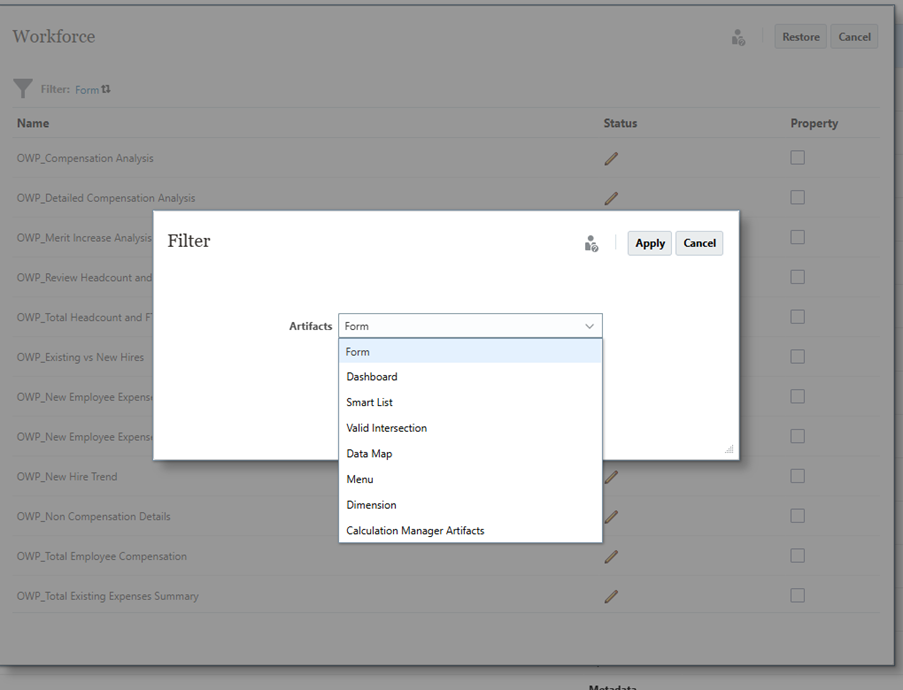
Select the required artefacts and click restore and that’s it done.