A Notation for Variables
Setting up variables in EPM for Substitution, User Variables or Run Time Prompts without some forethought beforehand will lead to a proliferation of variables, the use of which can become obfuscated and can become redundant without anyone noticing. This article is my naming structure to pre-empt these problems.
Often when I’ve seen EPM systems, variables are generally of global scope and little regard is paid to a consistent naming convention of variables, thus when a developer needs one, a new one is created. This seems to me more prevalent in calculation script Run Time Prompts and User Variables than Substitution variables.
Also, given that User Variables and Substitution variables both start with an ampersand &, they can be tricky to identify apart. This is all about giving clues to the next developer as well.
Normal good practice is to limit the scope of a variable, I include the scope in the notation so it can be understood if changing a value will have wider implications.
Over the years, here is a convention that has evolved with me and I adopt where ever possible.
Substitution Variables
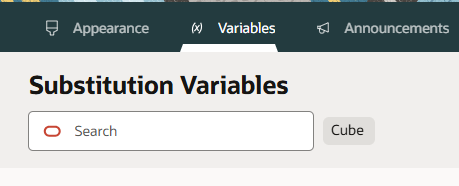
Prefix the Sub Var (first level qualifier) with SV to differentiate it from User Variables.
Second level qualifier relates to the scope of the variable, here it is the Cube OEP_FS.
Third level qualifier is meta data, in this one the dimension that the value will relate to.
Final, fourth level qualifier is about the typical value that could be stored.
e.g. SV_FS_Year_InnerRange value=FY25:FY30
FS=OEP_FS
Year=Dimension
e.g. SV_ALL_Year_Accounting value=FY25
ALL = All plan type – global scope
Year=Dimension
As substitution variables are broad in their scope, even when limited to a cube and their values are text type, for system wide parameterisation they provide an easy way to maintain a system with current dates and periods.
User Variables
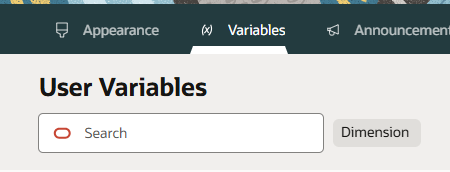
Prefix the User Var (first level qualifier) with UV to differentiate it from Substitution Variables.
The scope is for the user session, so the second level qualifier would be the dimension that the value range is limited to.
Third level qualifier some information on the members that are valid for the variable.
e.g. UV_Product_DrinksLvL0
e.g. UV_Period_Months
e.g. UV_CC_Divisions
When I need to group user variables into a functional area for ease of viewing, I insert an additional second level qualifier, like IFRS17
e.g. UV_IFRS17_CC_desc(CC1)
Run Time Prompt Variables
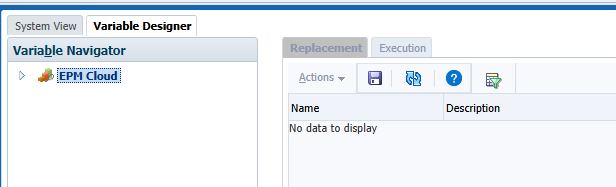
RTP variables always seem to me to be the largest area of uncontrolled creation. If the scope is kept to a rule, if the rule is no longer required, then the variable disappears with the rule. Variables with broader scope will persist after a rule deletion.
The notation I adopt is in this form:
e.g. aRTPmbr_Year_Future
being: scopeRTPtype_context_valuelimits
Scope g/a/p/r
- g – Global
- a – Application
- p – PlanTYpe
- r – Rule
Type
- str – string
- mbr – single member
- mbrs – multiple members
- num – numeric
- int – integer
- dim – dimension
- cdim – cross dimension
- ran – member range
Context
For members it will be the dimension associated
ValueLimits
If there is a restriction placed on the members that are valid for the variable, this would be an annotation of that. For example: a period dimension it could be ILvl0Descendants(“YearTotal”)
So the limit would be called “months”