Restoring Part of the Essbase Data
Here is a tip for restoring part of a Planning model, say for a specific Version/Scenario. First I have restored a model from which I want to extract the data, ready to import data into my PROD for only a specific version & scenario combination.
Export in native Essbase format
/******************************************************************************

DEFAULT FOLDERS
DM Root Folder: /u03/inbox
Planning inbox/outbox: /u03/lcm

******************************************************************************/

SET DATAEXPORTOPTIONS
  {
  DataExportLevel "LEVEL0";
  DATAEXPORTOVERWRITEFILE ON;
  };


FIX(FY25,OEP_Plan,OEP_Working)
DATAEXPORT "File" " " "/u03/lcm/WFP_Bud25.txt" "#MI";
ENDFIX
The folder has to be defined otherwise it will go into the application database folder. When it is in the inbox/outbox folder then a data import can access it easily. The data import unlike the calculation manager import, doesn’t require the file to be zipped.

Data Import
From the Overview-.Actions->Import Data, create an import job with these options:
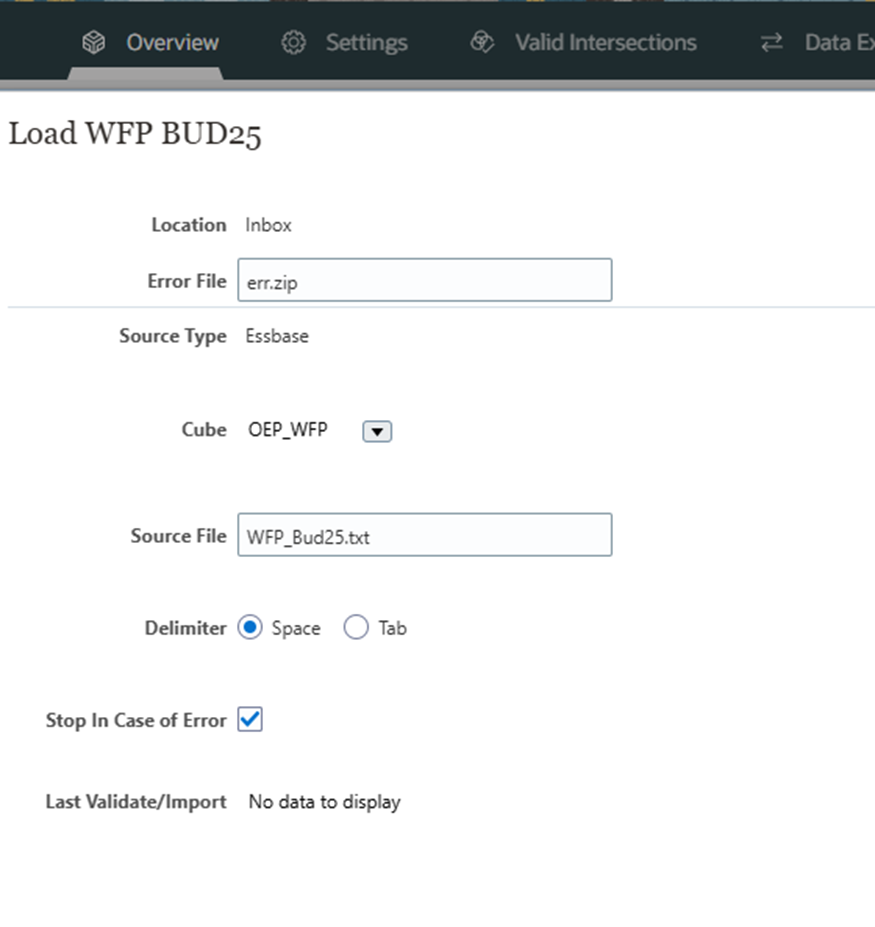
And that all there is to it!