User Cloud File Access
I have a Groovy script that produces a text file on demand, executed by a power user. The user then needs to download the file for downstream offline activity. However they couldn’t access the file output. So the question was how to get a file from the Inbox/Outbox folder, the default folder for all API output to the Data Manager Location folder, that the user could access.
The challenge is that all the API calls write directly to Planning inbox/outbox (/u03/lcm) that only Admin users can access and it can’t be changed. There is no option to enter a path into the API call to direct the output to a user accessible folder.
So a mechanism is required to get the file to a place where the power user can access directly and that turned out to be Pipelines.
Default Folders
The default folders in use by EPM are:
- Source Folder: Planning inbox/outbox /u03/lcm
- Target Folder: DM Root Folder: /u03/inbox
Power users can’t access these so a “location” folder needs to be created in data manager with access permissions so in my example I’ll create one like below:
/u03/inbox/DRIVER_IFRS
Create Location Folder
First thing to do in Data Exchange->Actions->System Settings is Enable create location folder

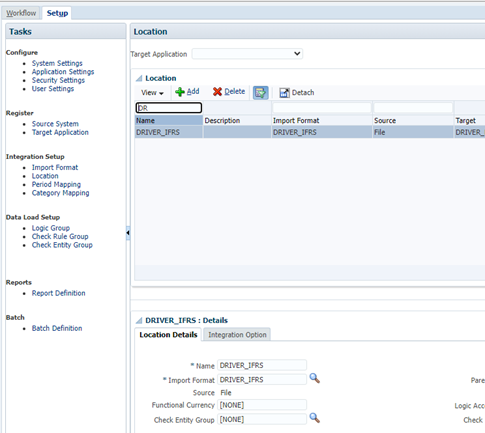
Then go into Data Manager to create the location below:
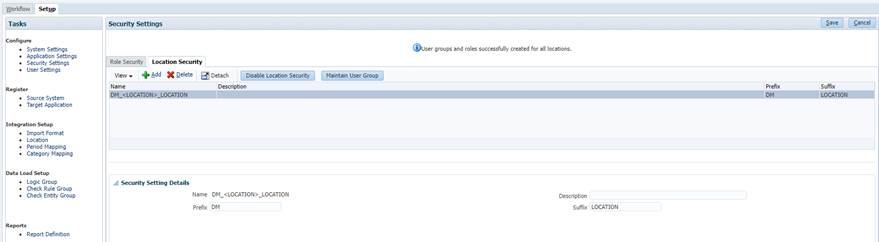
Set up the Location Security
If prompted click the button to Enable Location Security
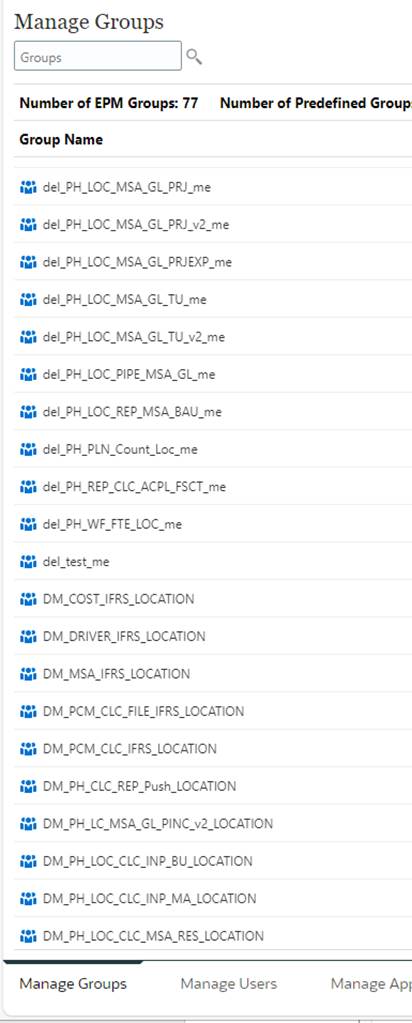
To create the Group in Planning/EPCM click the maintain User Group. The Groups will then appear in Navigator->Access Control->Manage Groups
With a prefix & Suffix set, this will create a security group in Planning/EPCM for every location for each location security row. These will have to be deleted manually.
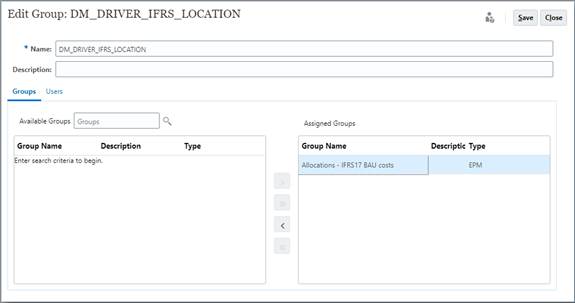
Grant user access to the security group in Navigator->Access Control

Add users or groups to inherit the permissions of the Location Group.
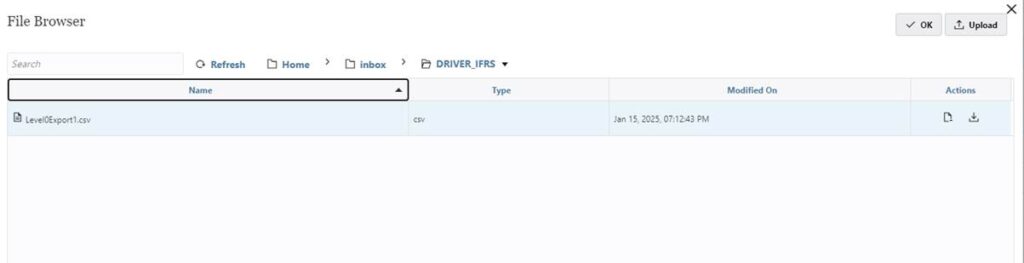
The folder is then visible through the Data Exchange->Actions->File Browser
Create Pipeline
The final step is to create a pipeline job to move the file. The key here is not to try and enter the file path in the Target Directory drop down, the file name should be prefixed with the folder created by the Data Manager Location.
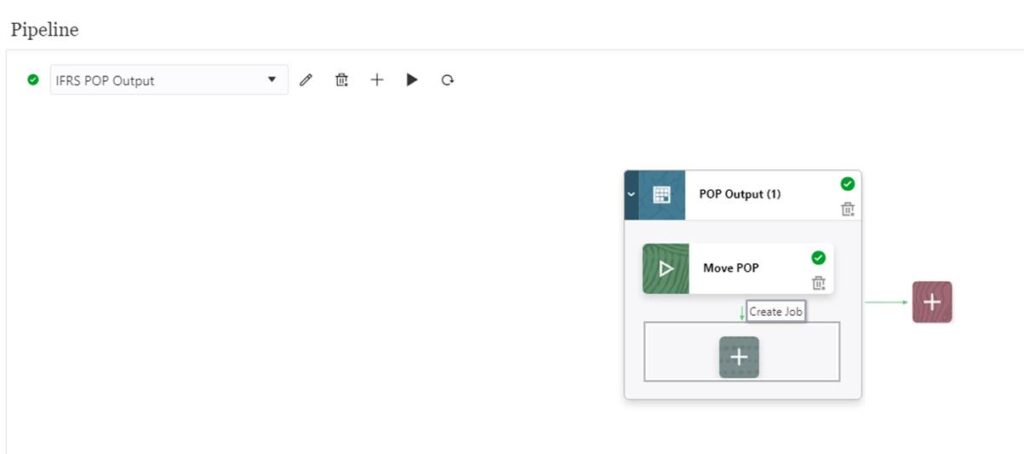
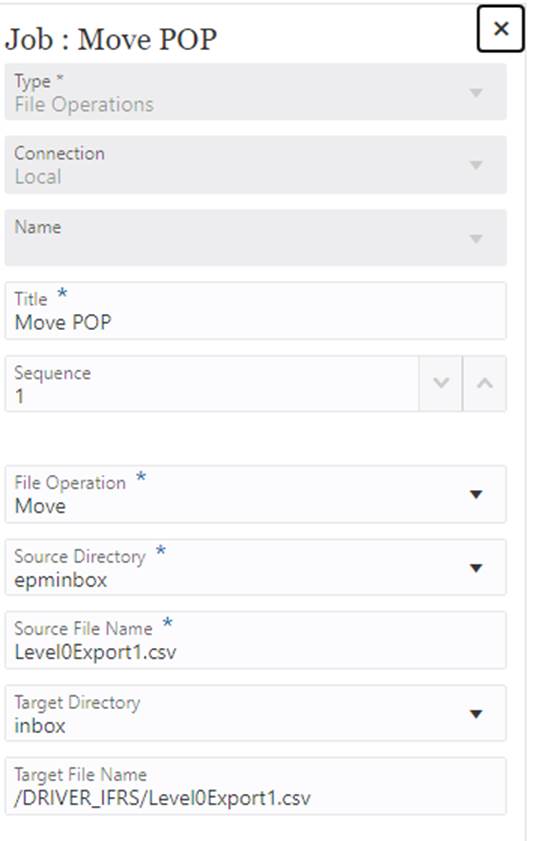
Make sure the forward slash “/” is used, otherwise you end up with a long filename that looks like directory path in the inbox.
Then finally run the pipeline to move the file into the accessible folder.